CCTV Converter

CCTV Converter

Convert and view your Chinese CCTV camera files.

Free • No ads • No accounts • Works offline

Most Chinese DVRs save footage in proprietary formats that no normal player will open. CCTV Converter detects the format, converts to standard MP4, and lets you preview, filter, snapshot and merge clips — all on your own machine.

🌟 100% free
🔒 No accounts
Works offline
🚫 No tracking
💻 Windows 10 / 11

Files Your Player Won't Open?

If your camera came from a Chinese vendor, the SD card is probably full of .ps, .dav or .264 files that VLC and Windows Media Player refuse. CCTV Converter detects the format from each file's signature bytes and turns it into a clean MP4 your phone, browser or any video editor can open.

Xiongmai / HiSilicon
IMKH-prefixed .ps
Dahua
DHAV .dav
Hikvision
proprietary streams
Raw H.264 / H.265
.264, .265, .hevc
MPEG-TS / PS
.ts, .mpg, .vob
MP4 / MOV / AVI / MKV
standard containers
ASF / WMV / FLV
legacy formats
20+ extensions
auto-detected

How It Works

1

Pick the SD card or folder

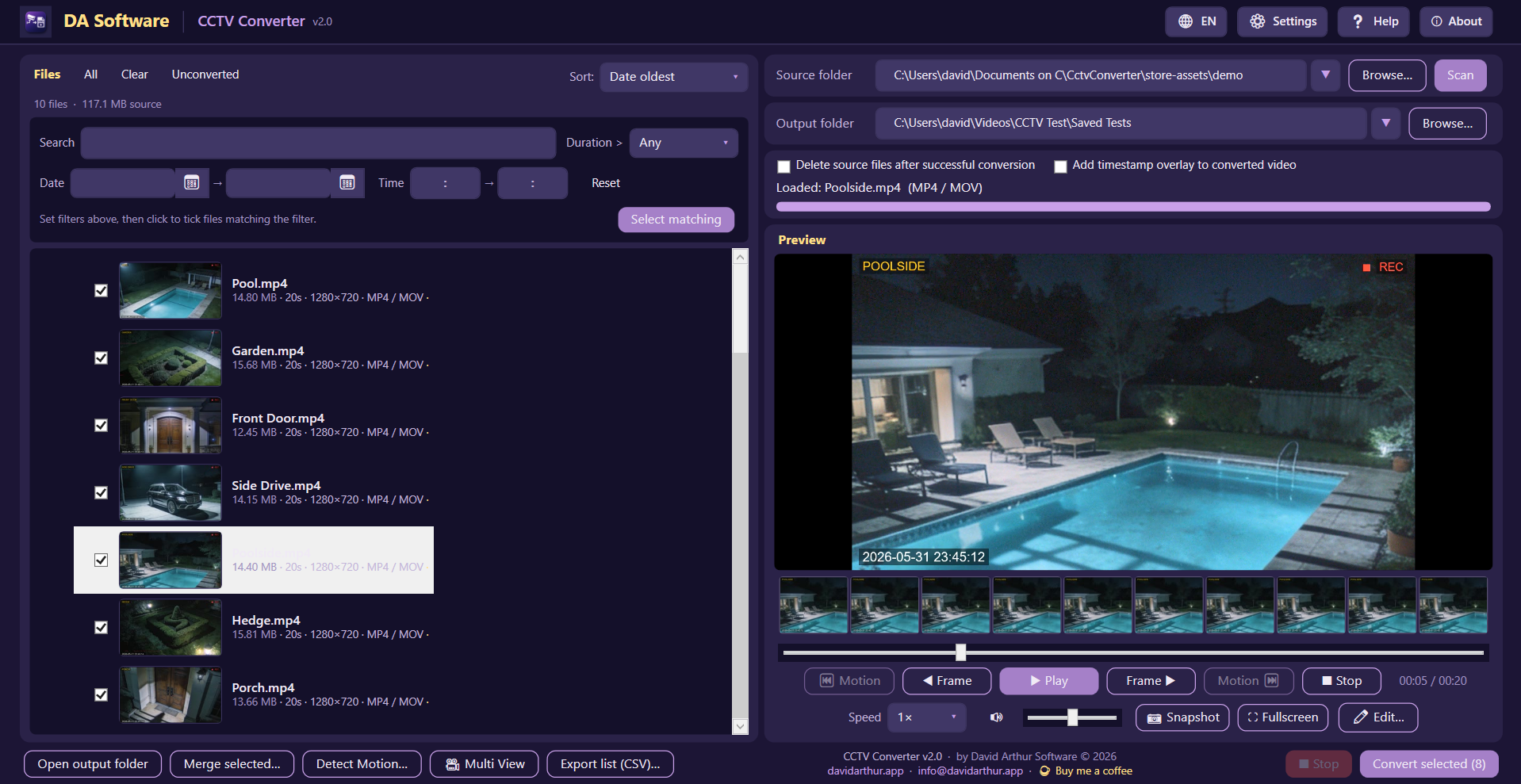
Drag a folder onto the window or click Browse. CCTV Converter walks the date subfolders and finds every video file.

2

Filter and select

Hide short clips, narrow by date or time of day, search by name, or just tick whole days. Folders with no matches hide themselves.

3

Convert & review

Stream-copy to MP4 in seconds (no quality loss). Preview, scrub frame by frame, snapshot moments, and merge a day's clips into one continuous video.

See It in Action

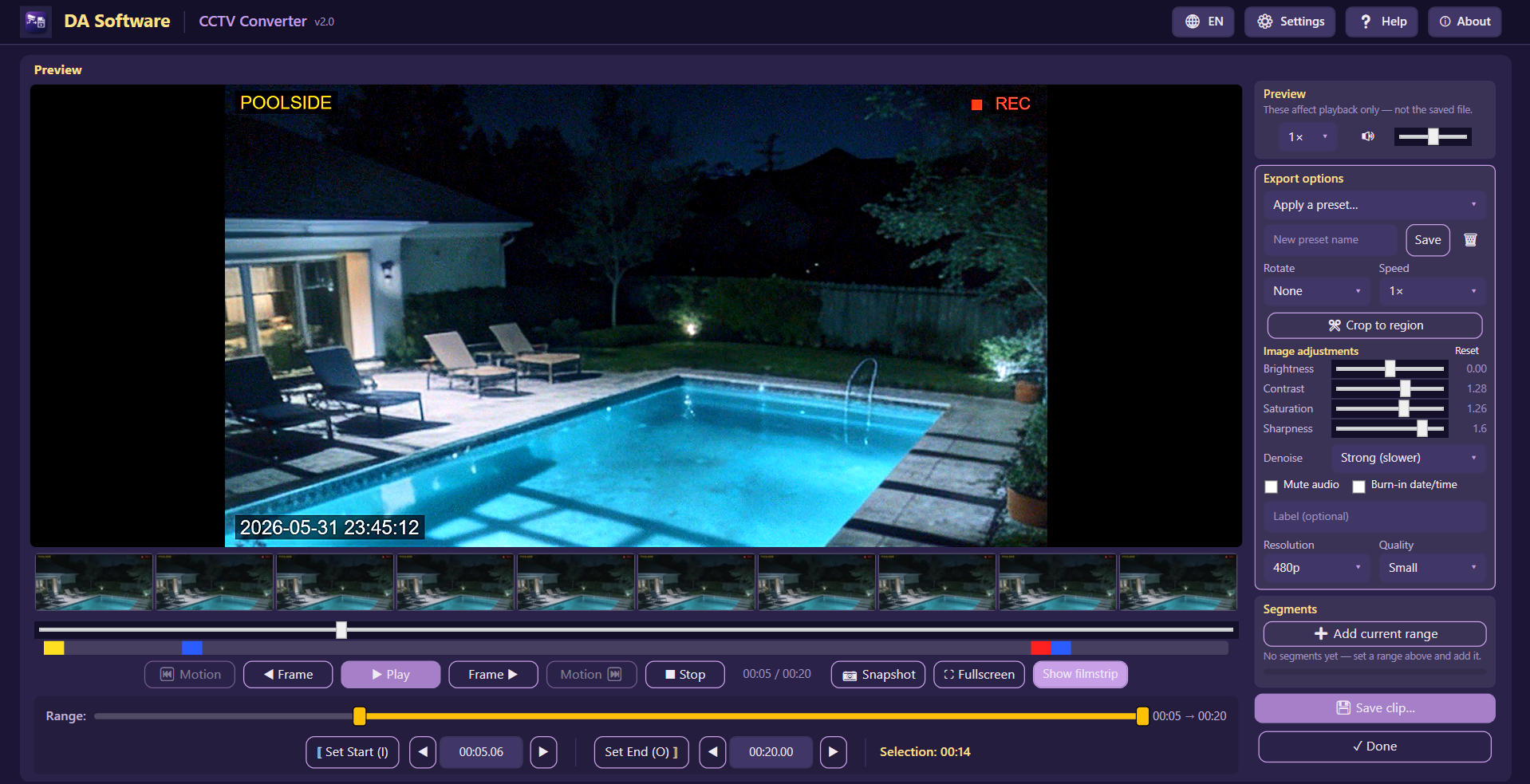
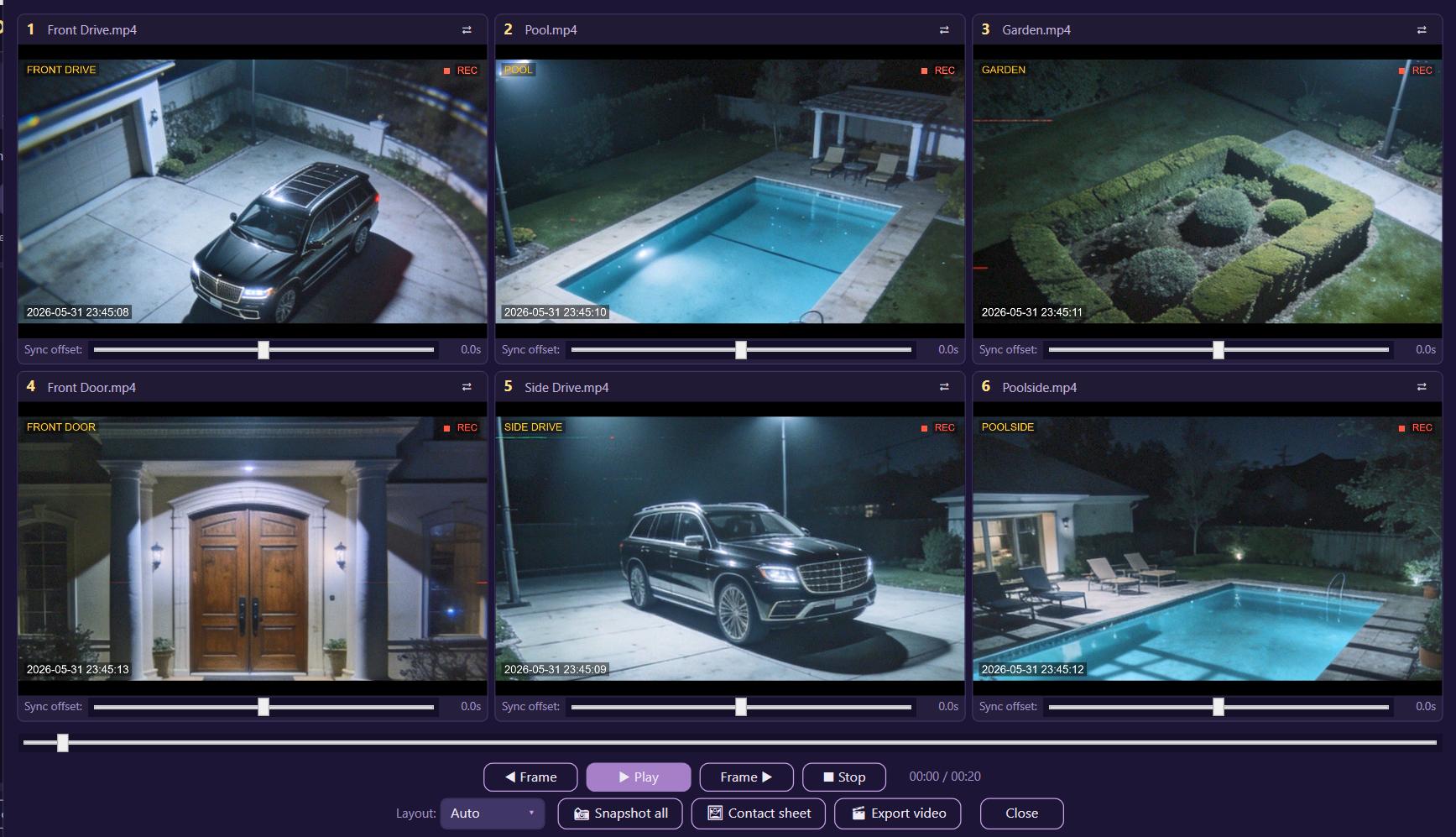
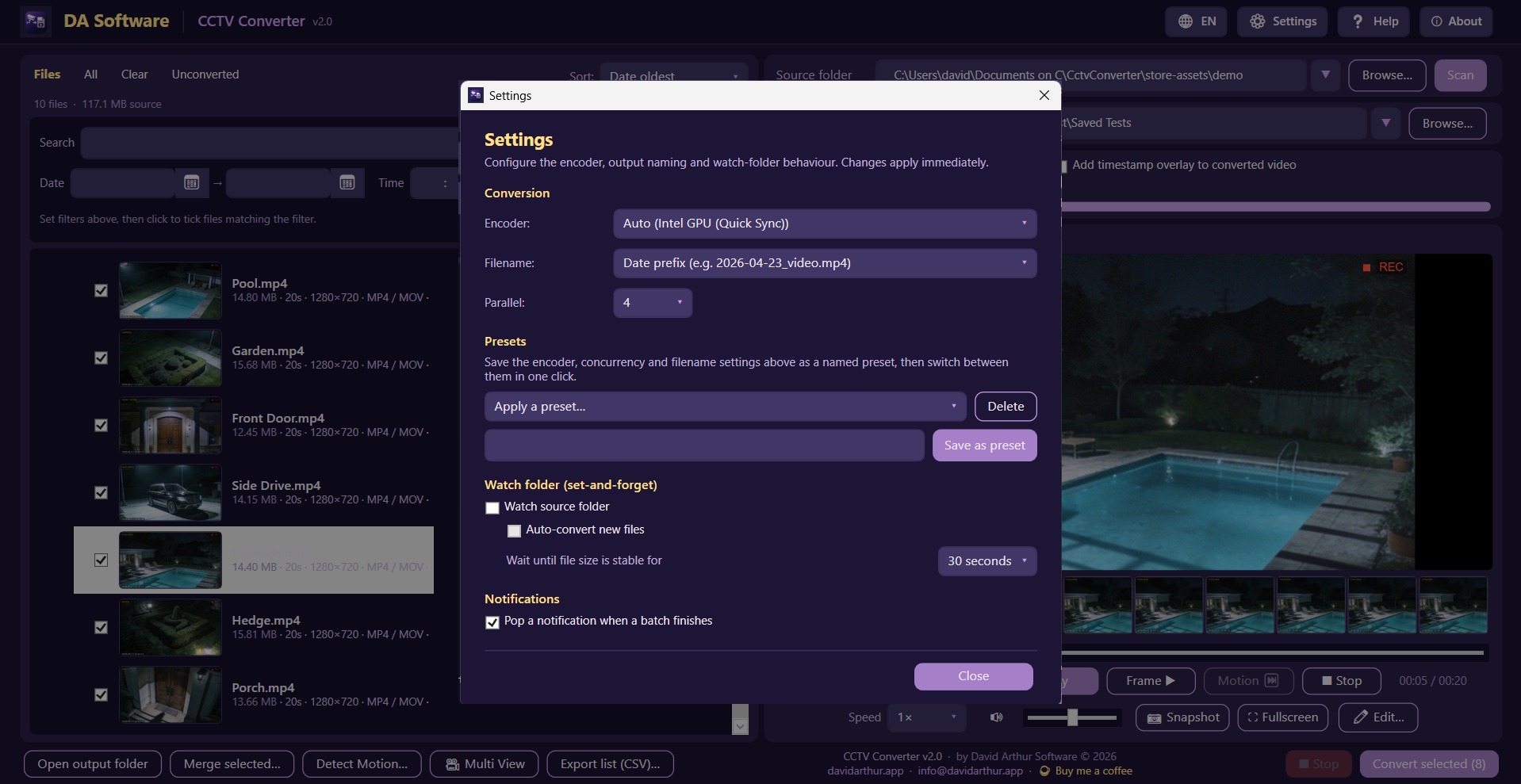
CCTV Converter main window with file browser, filters, and preview

Features

🔍

Smart Format Detection

Magic-byte detection identifies Xiongmai, Dahua, Hikvision, raw H.264/H.265 streams and 20+ other formats automatically — no guessing required.

Lossless Conversion

Stream-copy where possible (no re-encoding) means a 30-second clip converts in well under a second with zero quality loss. Falls back to a clean H.264 re-encode if needed.

🔍

Powerful Filters

Hide clips below 10 / 20 / 30 / 45 seconds or 1 to 5 minutes. Filter by date, time of day or filename. Folders without matches collapse out of the way automatically.

📹

Built-in Preview

Play, pause, frame-by-frame stepping, variable speed (0.5×–8×), volume control, and a fullscreen mode with draggable controls so you can see what's underneath.

📷

Frame Snapshots

Capture any frame as JPEG or PNG — perfect for incident reports, social posts or sharing a moment without the whole clip.

🔗

Merge to Single MP4

Stitch a day's clips, or any selection across multiple folders, into one continuous video in chronological order. Useful for handing footage to insurers or police.

📝

CSV Export

Export the full file list with filename, size, duration, resolution, format and timestamps — handy for cataloguing or evidence trails.

📥

Drag & Drop

Drag any folder onto the window to scan it instantly. Last source and output folders are remembered between sessions.

Cancellable Operations

Stop a long scan or batch conversion at any moment. Partial files are cleaned up automatically so nothing's left in a bad state.

📁

Optional Cleanup

Tick "Delete source files after successful conversion" to reclaim SD-card or drive space as you go — with confirmation.
Fully offline — your footage stays yours

CCTV Converter has no network code. Nothing is uploaded, no accounts, no telemetry, no ads. The only data the app stores is your last-used folder paths, in a local config file. Read our Privacy Policy →

Common Questions

Yes. Most Chinese DVRs (Xiongmai, HiSilicon and white-label rebrands) wrap MPEG‐PS in a proprietary header starting with the bytes IMKH. CCTV Converter detects that signature and converts to MP4 with no quality loss in seconds.

Dahua DHAV files convert directly. Hikvision is more varied — standard H.264 backups work fine; encrypted backups (.crypt) cannot be decrypted by any third-party tool and need Hikvision's own player.

Yes. The default conversion is a stream copy, meaning the video and audio packets are repackaged into MP4 without being decoded or re-encoded. The output is bit-identical in quality to the source. Re-encoding only happens as a fallback if the original stream is incompatible with MP4, and it uses high-quality H.264.

Around 200× realtime for a typical CCTV bitrate. A 30-second clip converts in well under a second; a full day of recordings (a few hundred clips) takes a couple of minutes on a normal laptop. Stop and resume any time.

Yes. CCTV Converter has no network code at all. Once installed, you can disconnect from the internet entirely and it will keep working forever.

Because the niche is small and we'd rather you have a tool that solves the problem than nothing. If it saves you a headache, you can buy us a coffee — otherwise, just enjoy the app.

Windows 10 or Windows 11, x64. The app is roughly 1 MB; it uses bundled ffmpeg for the heavy lifting. No admin rights needed for normal use.

Download

Free forever. No accounts, no ads.

Recommended

Microsoft Store

Free

Auto-updates · Verified by Microsoft · No security warnings · One-click install

Get from Microsoft Store

Or for advanced users: download the .zip directly (65 MB, Windows 10/11 64-bit, self-contained).

Heads up: the direct .exe is unsigned, so the first time you run it Windows SmartScreen will show a "Windows protected your PC" dialog — click More infoRun anyway. The Microsoft Store version is signed by Microsoft and skips this entirely.